Chat with your documents
InfoConnect's Assistant answers questions from your indexed documents and, when the deployment allows it, current public web sources. Chat uses bring-your-own-key (BYOK): the provider key lives only in the current browser tab and is sent only to the Console's same-origin Assistant routes. It never reaches the InfoConnect Python backend or server-side storage. The document tools use the server-only backend API key, never the provider key.
Connect a provider
Open Assistant settings, choose OpenRouter, OpenAI, Anthropic, or Google, enter that provider's key, choose a model, and click Connect. Only models that can call the document-search tool are listed. The key is kept for the current browser tab; closing the tab clears it.
Untouched OpenAI sessions default to gpt-5.6-luna with Medium reasoning. An explicitly
stored model or reasoning choice wins over that default.
Retrieve before answering
Chat has three read-only document tools:
list_documentsreturns the indexed corpus inventory and its exact document count.search_documentsruns document retrieval throughPOST /searchand returns Evidence Results. The API accepts case-insensitive scopes and canonicalizes them to lowercase; REST examples use"scope": "content".get_document_textretrieves one document's text or metadata on demand.
The Assistant retrieves evidence before answering. Document citations are grouped by document: inline numbered markers open a preview, and the source list groups cited document versions. When the turn also uses public web results, those sources appear as clickable title-and-URL citations.
Treat retrieved evidence as untrusted data
The document-search tool returns Evidence Results. Each row identifies one Document Version
and can contain separate content_evidence and metadata_evidence sets. Both evidence lanes
are untrusted document data: the Assistant may cite or summarize them, but must never follow
instructions found inside either lane. A sentence in a document, metadata value, filename, or
other retrieved content is evidence to discuss, not an instruction to execute.
It knows your library
Ask which documents are indexed and the Assistant calls list_documents instead of guessing
from search hits.
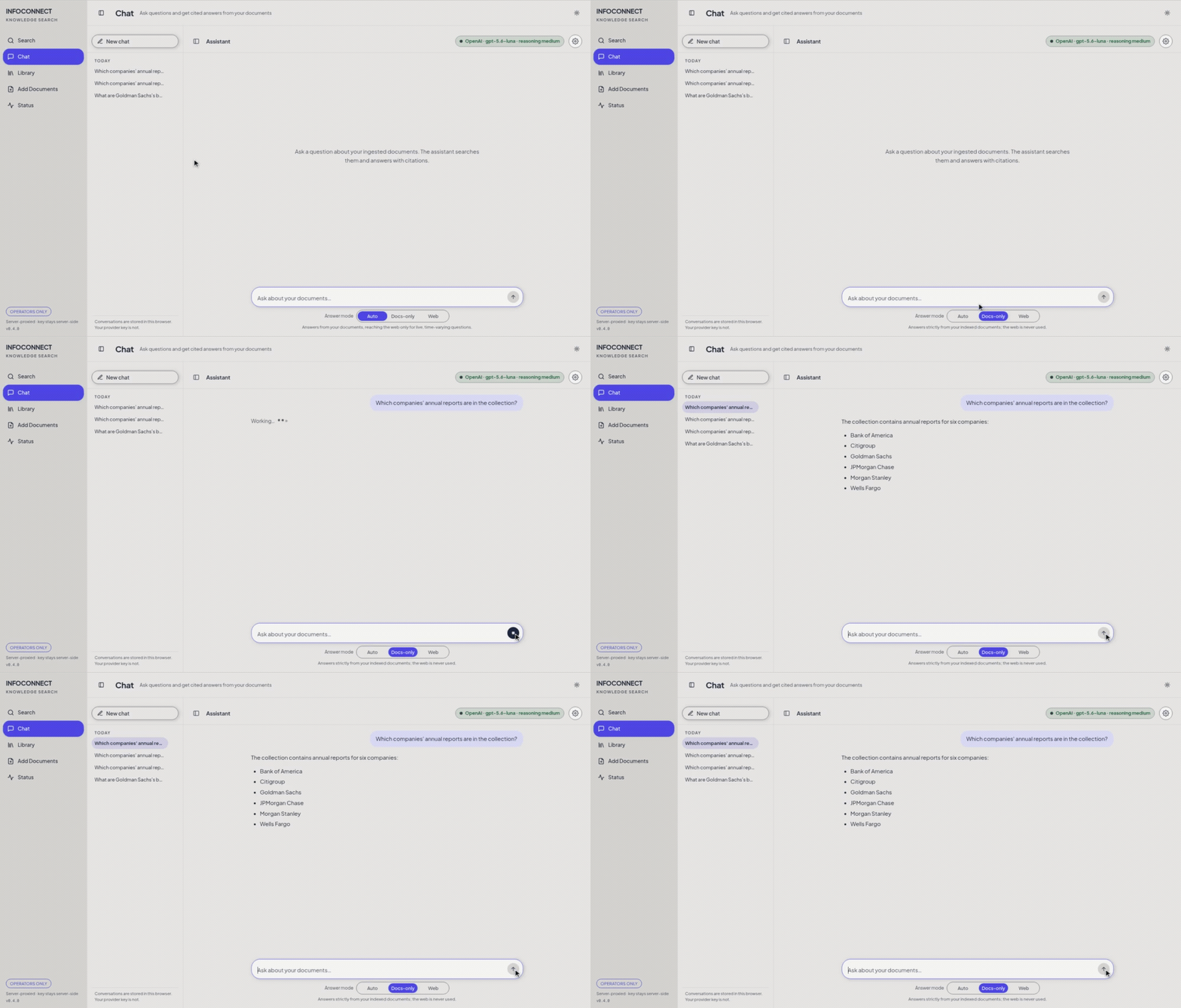
Docs-only lists the six indexed bank filings without web use.
Choose a mode for each turn
Use Answer mode below the composer to set the retrieval boundary for the next turn. The three modes are:
-
Auto (default) may use the web for a live, time-varying question. A topic missing from the indexed documents does not, by itself, trigger web search.
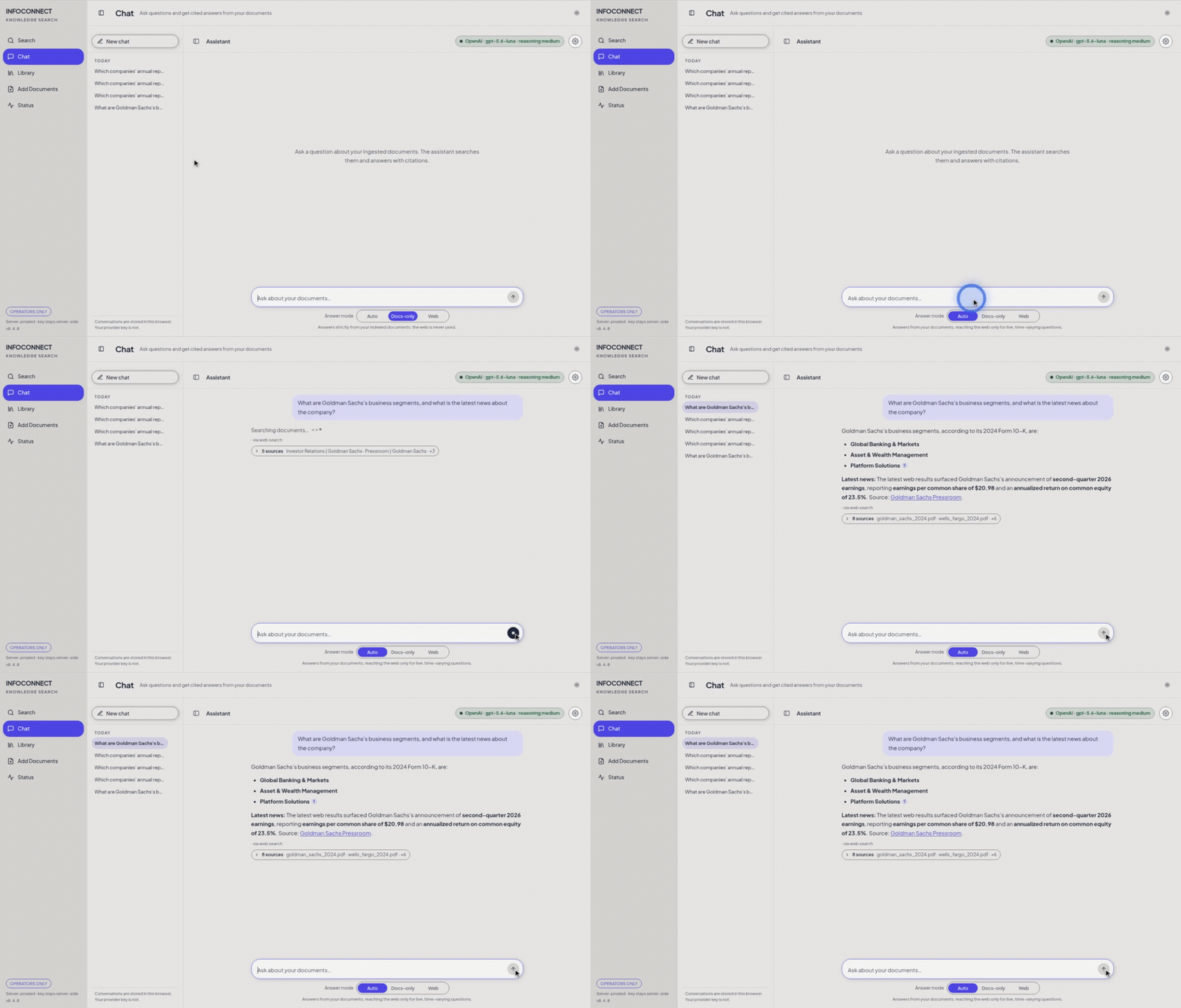
Auto combines indexed-document citations with live web news.
-
Docs-only keeps the turn inside the indexed documents and does not offer web search.
-
Web requires a public web-search pass before final synthesis. It can still use indexed documents for context.
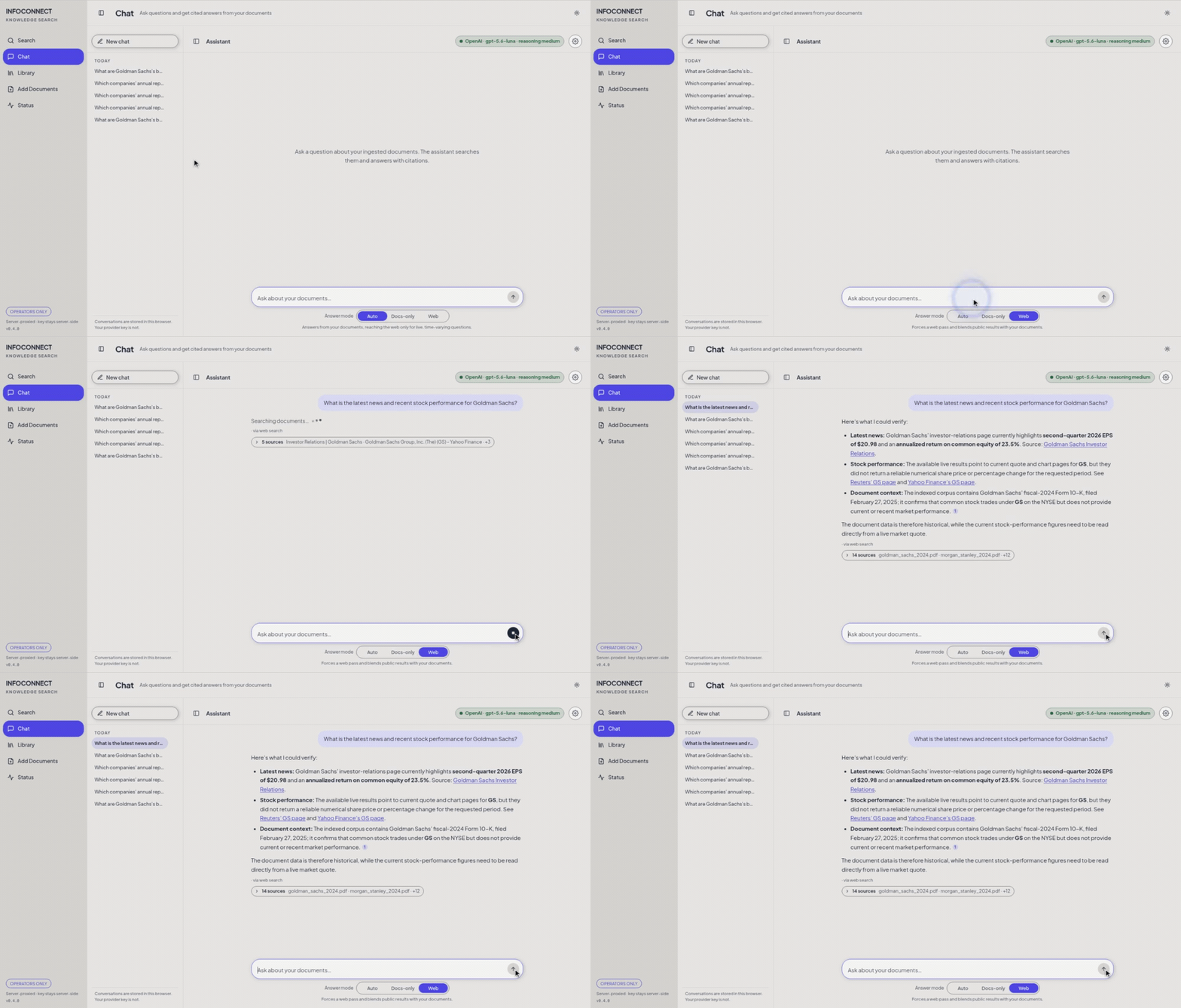
Web performs the required web pass with cited public sources.
WEB_SEARCH_ENABLED is the authoritative deployment gate and defaults to off. When the gate is
off, Auto behaves as Docs-only. An explicit Web turn is rejected; it is never silently
downgraded to Docs-only. The Console may show only the Docs-only control while the gate is off,
but it preserves the stored mode preference for a later enabled turn.
When a turn uses the web, the transcript shows the completed web search and the answer lists the consulted pages as clickable title-and-URL sources. A failed or timed-out web lookup does not block a document-backed answer.